
VeeduApartments & RWAsLive · open for sign-up
Run your apartment association from one place.
Veedu brings maintenance billing, payments, service tickets and amenity bookings into one workspace — for managers, owners, tenants and technicians, each seeing only what their role allows.
Create your society's workspace in minutes. Add sample data to look around before you invite residents.
- Dues, complaints and bookings in one place
- Separate access for every role
- Printable invoices and booking slips
For associations that have outgrown the WhatsApp group.
When maintenance dues live in a spreadsheet, complaints in a chat thread and the clubhouse calendar in someone's notebook, nobody has the full picture. Veedu puts it in one record.
- Apartment associations and RWAs still billing maintenance by hand
- Managers chasing dues, complaints and bookings across chats and calls
- Communities where owners, tenants and staff each need different access
Everything an association runs, in one workspace.
Six connected parts, built around how associations actually work — from the monthly bill to the gym booking.
- 01
Maintenance billing
Invoices for every unit, every period, from the charges you set — maintenance, sinking fund, water, parking, penalties and one-off charges.
- 02
Payments
Payments are recorded against an invoice and count only once a manager verifies them, so the books match the bank.
- 03
Service tickets
Complaints with a category and priority. Priority sets the deadline, and every assignment, status change and comment stays on the timeline.
- 04
Amenity booking
Each amenity sets its own rules — hourly or full-day slots, capacity, approval, monthly limits per unit and cancellation cut-offs.
- 05
Units & residents
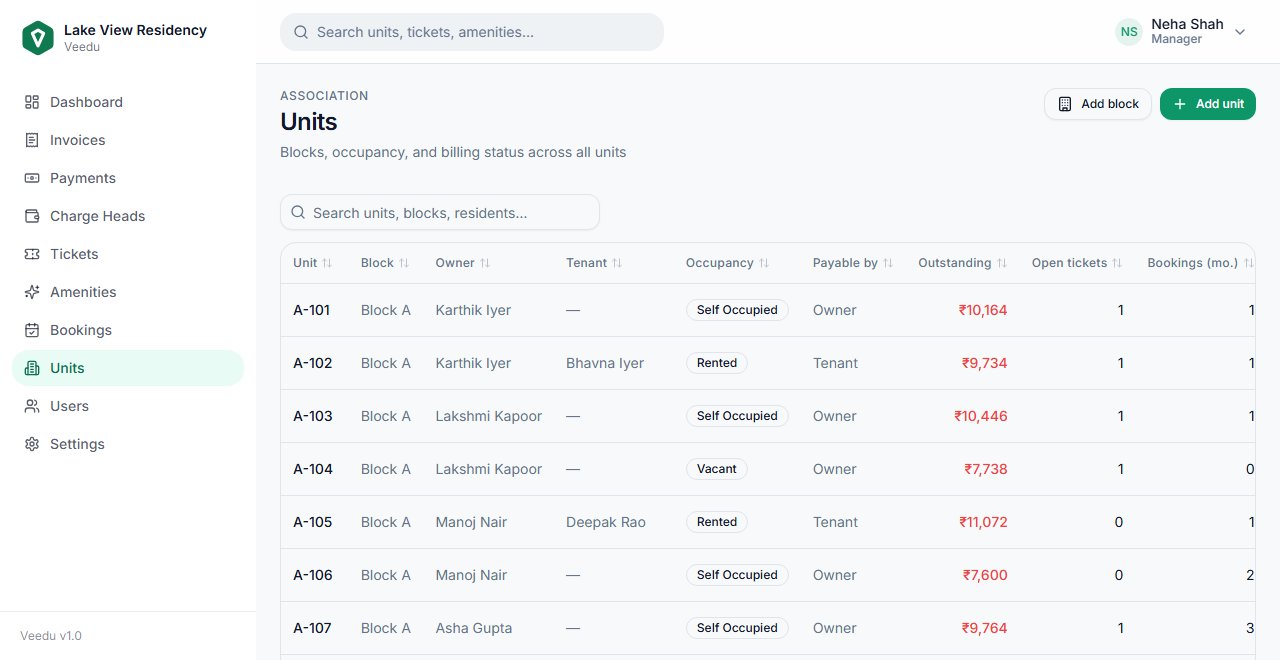
Blocks and units with owners, tenants and occupancy, and who pays the maintenance bill when a flat is rented out.
- 06
Roles & access
Managers see everything. Owners and tenants see their own flat. Technicians see only the jobs assigned to them.
Getting started.
Set your association up online in an afternoon, or ask us to do it with you.
- 01
Create your society
Sign up with your email and confirm the 6-digit code. You become the society's first manager.
- 02
Add blocks and units
Add your blocks, units, owners and the charges you bill. Or start from sample data to explore first.
- 03
Bring residents in
Invite owners, tenants and technicians. Each gets an email link to set their own password.
- 04
Get help when you need it
Message us on WhatsApp for setup help, importing your records, or changes your association needs.
Run an apartment association?
Set up your society now, or tell us how many units you manage and we will walk you through it.