
KadaiRetail operationsLive · free 30-day demo
Run sales, stock, purchasing, and reporting from one place.
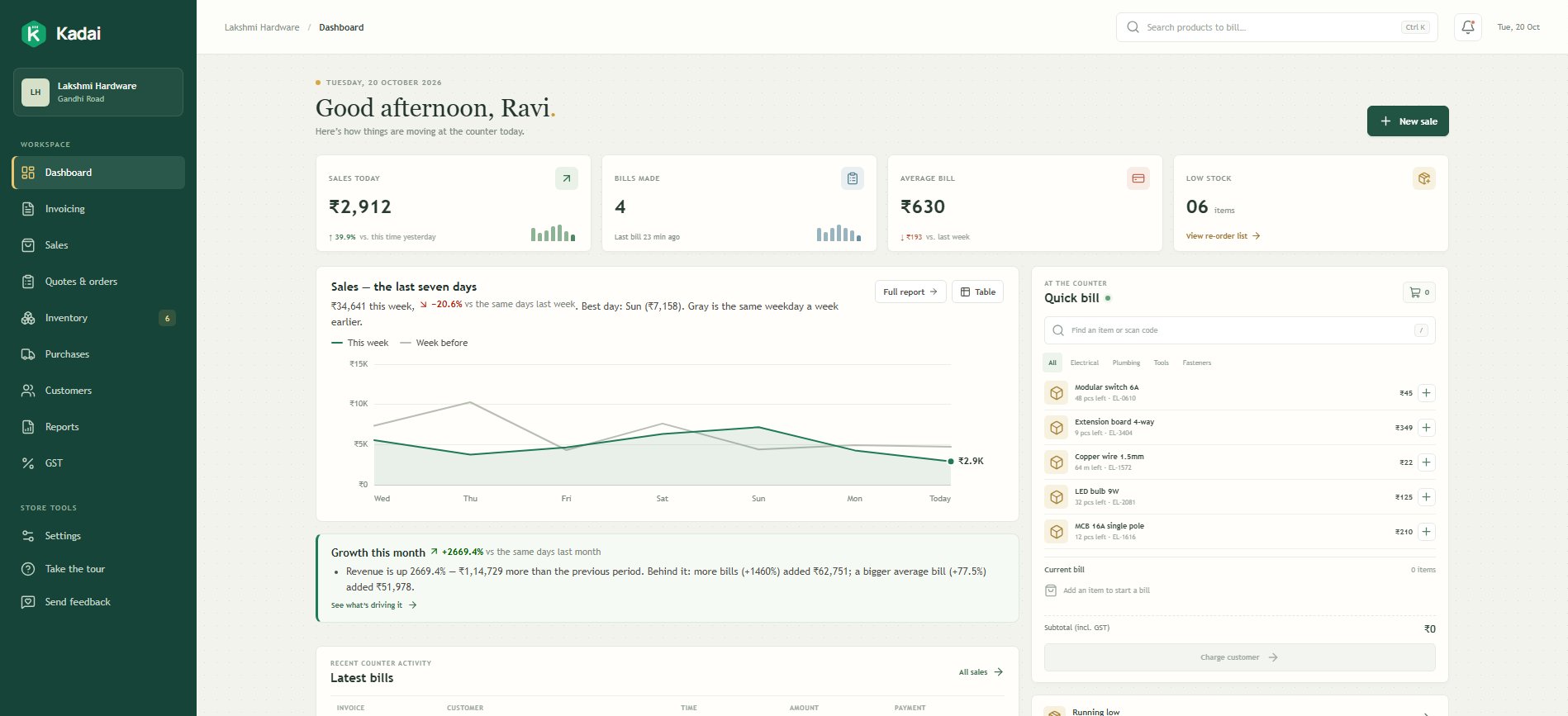
Kadai gives growing retailers a clear operating system for the work behind the counter—so the team can spend less time reconciling tools and more time serving customers.
30-day free trial · No card needed · Your own private shop with sample data
- Built for day-to-day retail work
- Adapted to your operating process
- Supported by the team that builds it
Built for the point where retail gets hard to hold together.
Kadai is for businesses that have grown past separate billing, stock and reporting tools. It connects the routine work and gives the team one record they can trust.
- Retail businesses moving beyond separate billing and stock tools
- Teams that need a consistent process across counters or locations
- Owners who want usable operational reports without rebuilding spreadsheets
The core retail operation, connected.
Start with the essential workflows, then add the controls, reports and integrations your shop needs.
- 01
Sales and billing
Keep day-to-day transactions clear, consistent, and connected to the rest of the operation.
- 02
Inventory control
See what is available, what is moving, and what needs attention without reconciling separate records.
- 03
Purchasing
Manage supplier orders and incoming stock as part of the same workflow used for sales and inventory.
- 04
Customers and balances
Keep customer history, outstanding amounts, and follow-up information easy to find.
- 05
Reports
Turn live operational data into practical views for daily checks and management decisions.
- 06
Roles and controls
Give each person access to the work they need while keeping sensitive actions controlled.
Enough structure to stay reliable. Enough flexibility to fit.
One connected record
Sales, stock, purchases, and balances update the same operational picture.
Clear at the counter
Common tasks stay fast and readable for the people using the system throughout the day.
Adaptable by design
Workflows and integrations are shaped around the business instead of forcing a generic process.
A careful rollout, not a software hand-off.
The system is only useful when the data is dependable and the team knows how to work with it. Implementation is part of the product.
- 01
Map the operation
We review your sales, purchasing, inventory, reporting, and exception flows before configuring the system.
- 02
Shape the setup
Kadai is adapted around your item structure, roles, locations, and the integrations your team actually uses.
- 03
Move and verify data
Existing records are prepared, imported, and checked with your team before the system becomes the source of truth.
- 04
Train and launch
The people doing the work learn the system around real tasks, with direct support through rollout.
Tell us how your shop runs today.
Share the tools you use and the work that gets repeated. We will help you decide whether Kadai fits — or try it yourself first with a free 30-day demo shop.